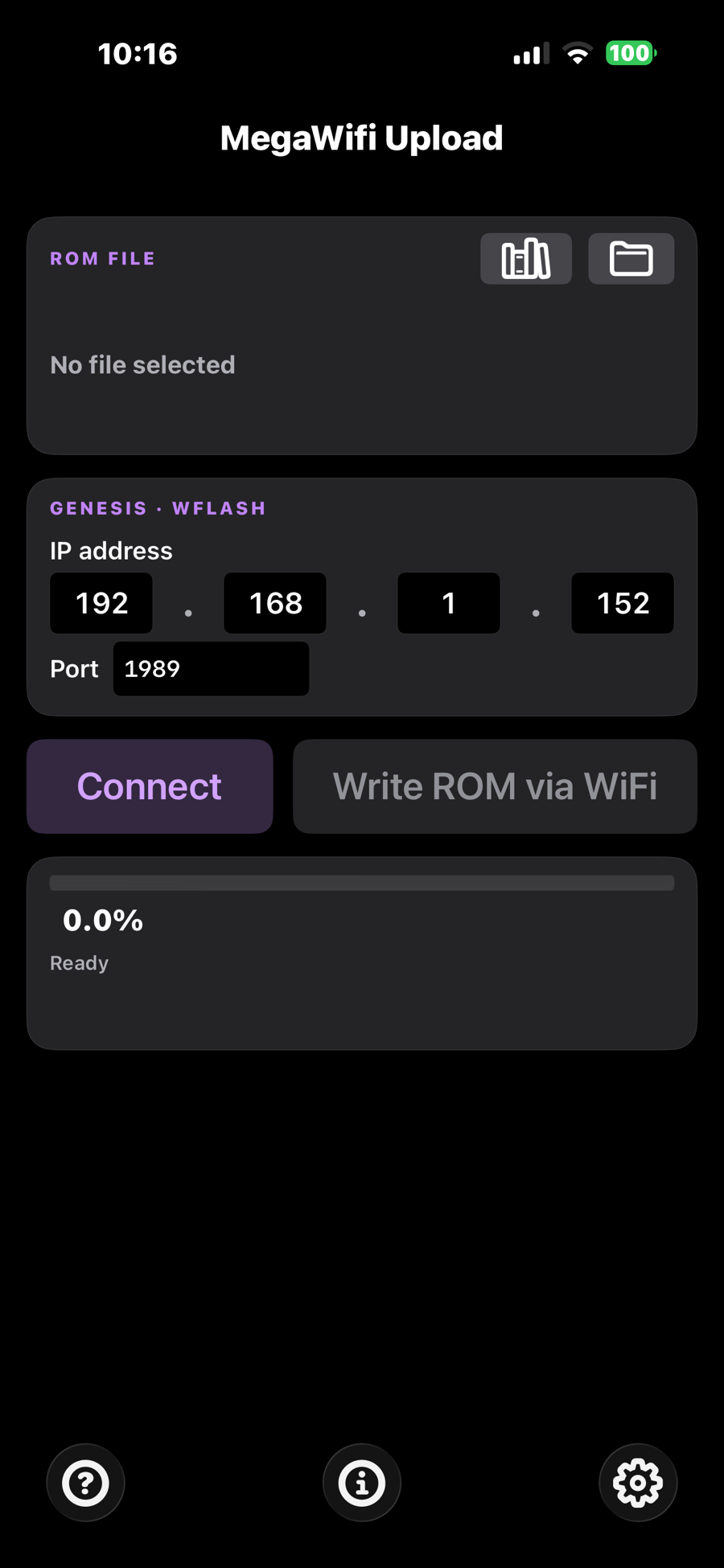
MegaWifi Uploader — main panel on iPhone in dark mode iPhone & iPad · Local Wi-Fi · iOS 15+ · Light & Dark

MegaWifi Uploader

A Wi-Fi ROM loader for the MegaWifi Sega Genesis cartridge that runs on your phone. Browse your on-device ROM library, pick a file, type the cartridge IP, tap Connect, tap Write — the game runs on the next power cycle. No USB programmer, no PC.

The cartridge on the console, your loader in your hand.

The MegaWifi cartridge is an open-source flash cart for the Sega Genesis / Mega Drive with an ESP32-class Wi-Fi module on board. Burn the wflash WiFi loader ROM to it once and the bootloader lives at the top of flash forever — power on the console, it joins your network, and prints its IP on the TV.

MegaWifi Uploader is what you point at that IP from your iPhone. Pick any ROM image registered with iOS — bare .bin / .md or wrapped in a .zip, .7z, .rar, or .gz archive — type the cartridge address, and the app drives the documented wflash wire protocol all the way through: BLOADER_START query, automatic ROM-header patch so the wflash menu survives a power cycle, ERASE, chunked PROGRAM at 64 KB at a time, AUTORUN — and the cartridge boots the new ROM the moment the upload finishes.

No USB programmer dongle, no libusb, no laptop. Just the iPhone in your pocket and a Wi-Fi network the cart can see.

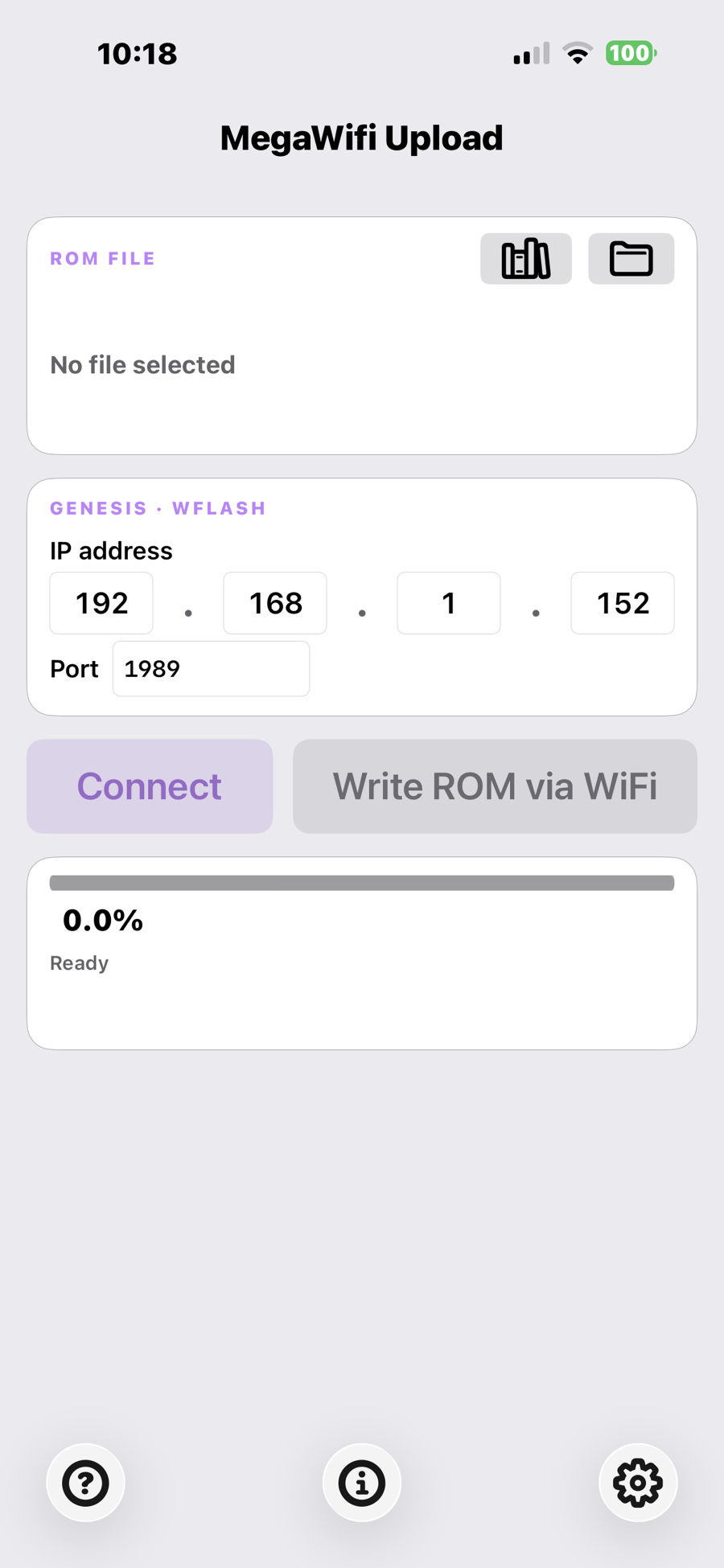
The whole interface, on one screen.

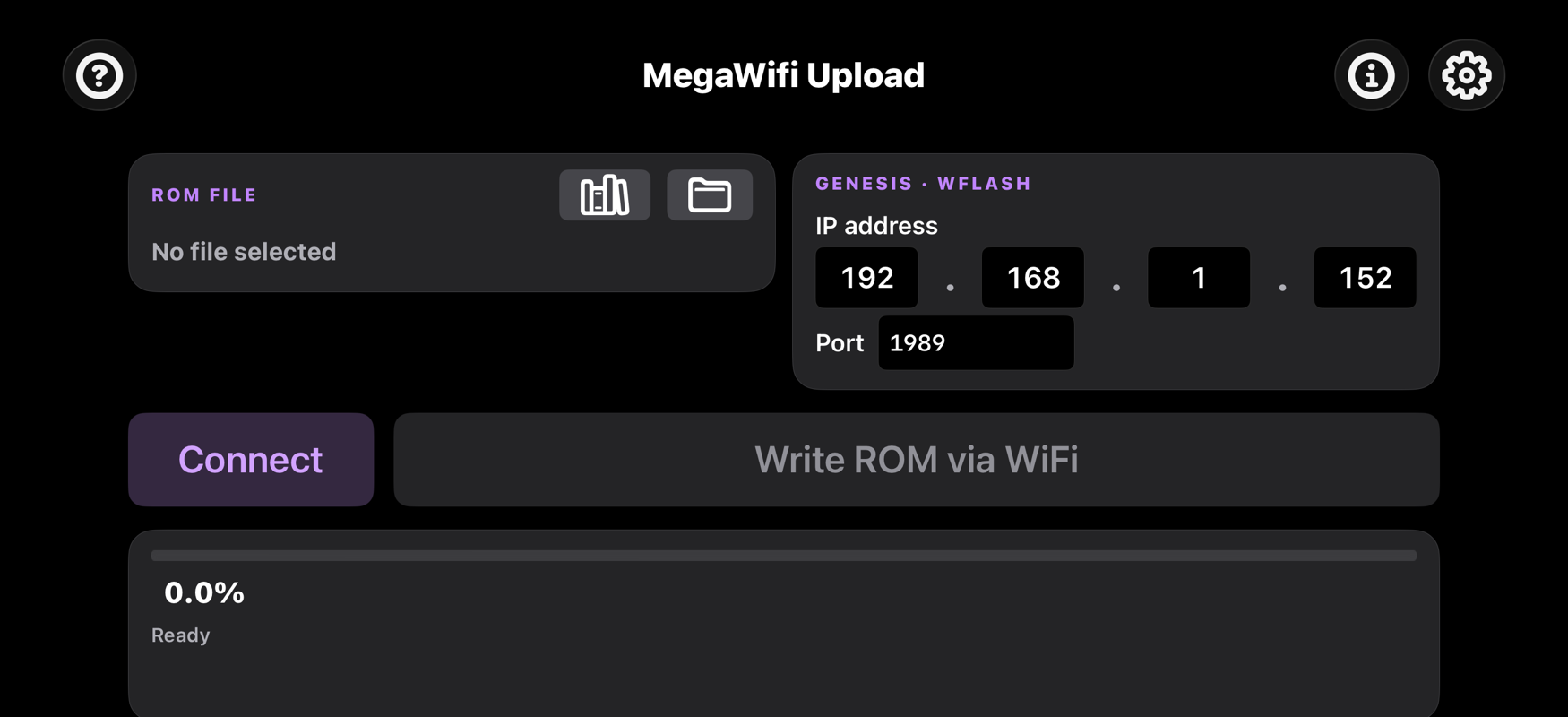
Card-based UI built around three sections: ROM file, Genesis address, and the upload action. Light and dark themes match iOS, or pin a fixed scheme in Settings. Landscape lays the cards side by side so the entire screen fits without scrolling.

MegaWifi Uploader in portrait, light theme
Portrait · Light theme
MegaWifi Uploader in portrait, dark theme
Portrait · Dark theme
MegaWifi Uploader in landscape — two cards side-by-side
Landscape — two cards side-by-side, one page

A real library for your ROMs.

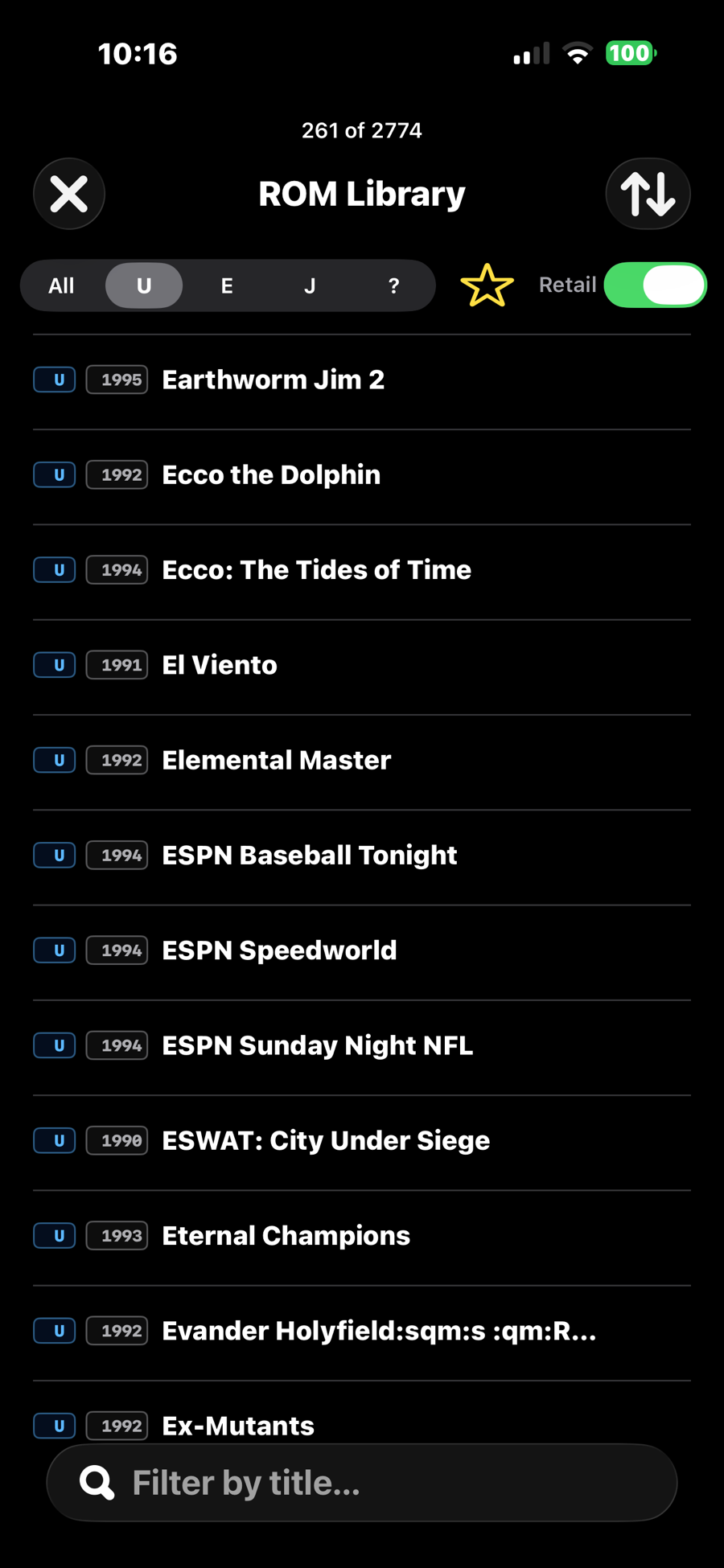
The on-device library indexes every ROM in the app's Documents folder, identifies each one by CRC32 against a bundled segaretro.org database, and shows clean titles with region flags, release years, file sizes, and SRAM badges. Search by title, filter by region, sort by year or size, favorite with a swipe.

ROM Library screen showing segaretro-titled rows with region badges
Library — title, region, year, size, SRAM
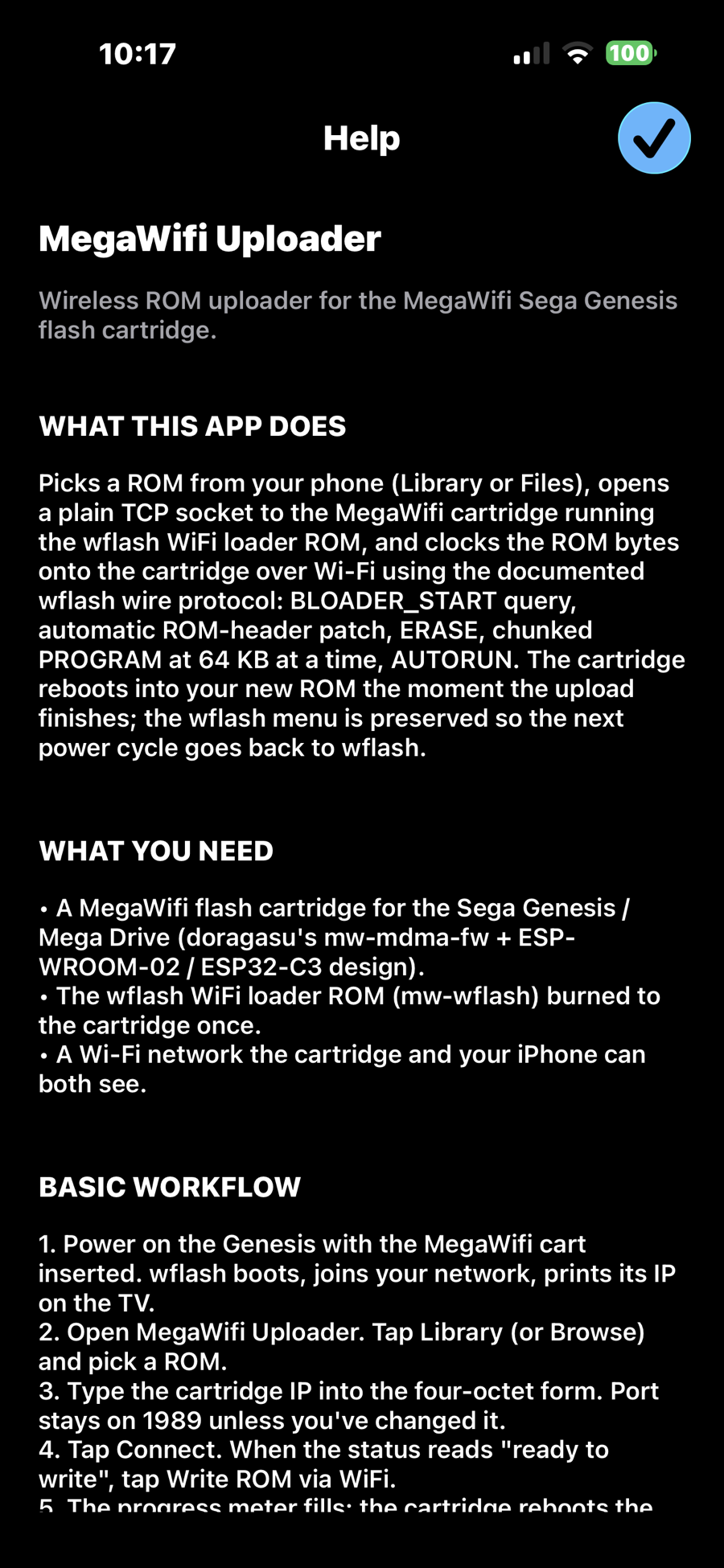
In-app Help screen with workflow, archives, and troubleshooting sections
Help — in-app reference, troubleshooting
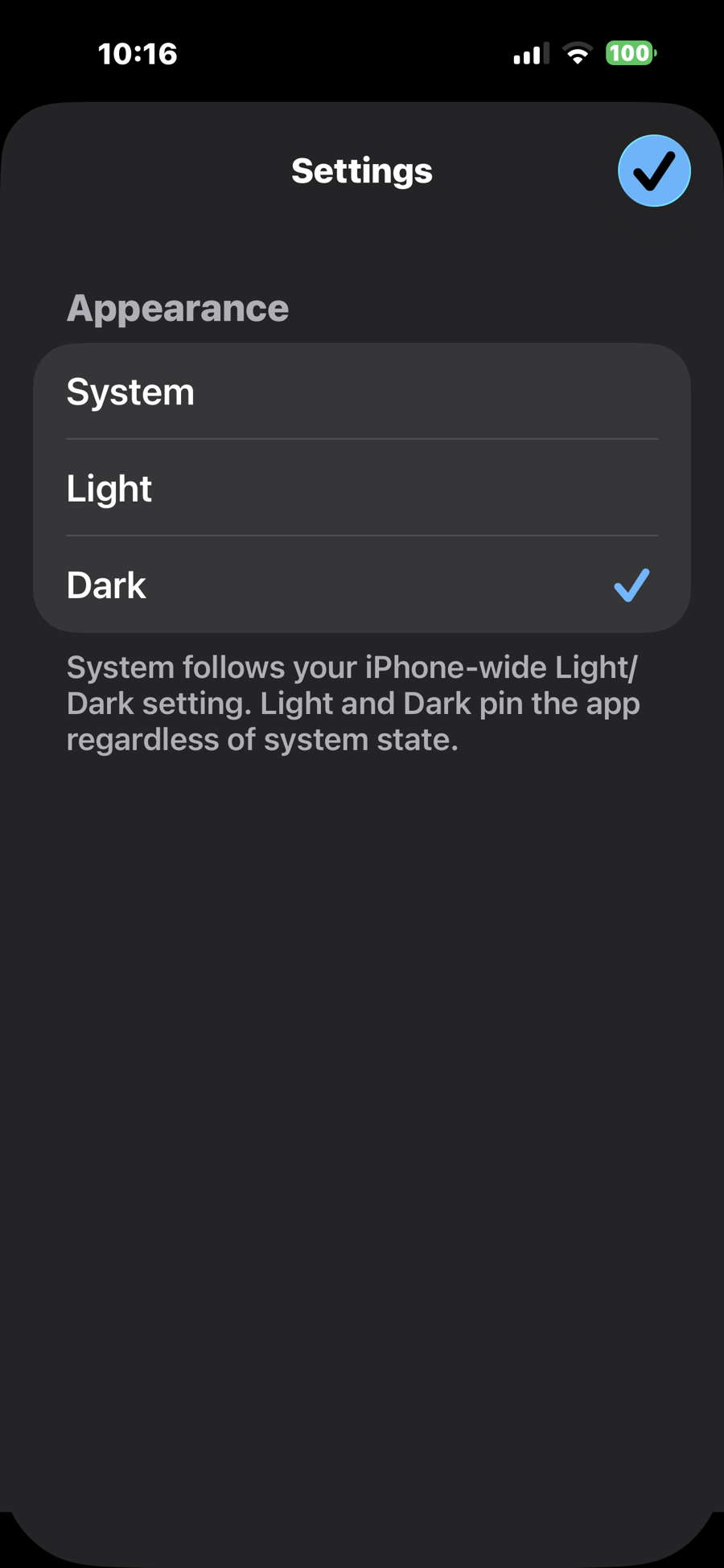
Settings screen with Light / Dark / System theme picker
Settings — appearance picker

Built around the part of the workflow that actually takes time.

Picking, typing, and flashing. Everything in the app exists to get a ROM onto the cartridge as efficiently as possible.

Transfer

Full wflash wire protocol

BLOADER_START query for the wflash bootloader address, ROM-header patch so the cartridge still boots wflash on power-cycle, ERASE, chunked PROGRAM at 64 800 bytes per command, AUTORUN. Lifted verbatim from the macOS reference implementation.

Library

On-device ROM browser with metadata

Every ROM in the app's Documents folder is indexed and CRC32-matched against a bundled segaretro.org database of 1640+ Mega Drive dumps. Each row shows clean title, region badge (U / E / J), release year, file size, and an SRAM glyph if the cartridge carries battery RAM. Sort by title / year / size, filter by region, search by title substring, favorite with a swipe. Defaults to "Retail only" so bootlegs and prototypes stay out of the way.

Files

Read any ROM iOS can see

Files app, iCloud Drive, Dropbox, Google Drive, OneDrive, Box, anything the system document picker registers. iOS hands the app a copy of the file — works whether the ROM lives on-device, in iCloud, or in a third-party file provider. Mail and Messages attachments can be opened directly via the share sheet.

Archives

Reads .zip, .7z, .rar, .gz

Sniffs the magic bytes, dispatches to libarchive for zip / 7z / gzip or to the unrar source for RAR, picks the first ROM-extensioned entry, decompresses straight into RAM, and verifies the archive's stored CRC32 before a single byte reaches the cartridge. No temp files; corrupt archives are refused, not flashed.

Safety

ROM-too-large guard

Reads the bootloader address from the cartridge via BLOADER_START and refuses the upload before the erase starts if the image would overwrite the wflash bootloader region. The menu stays alive across flashes.

Header patch

Wflash-aware ROM header rewrite

On a flash at address 0x000000 the app saves the original 68k entry point bytes into the ROM's notes field at 0x1C8 and replaces them with the bootloader address. Power-cycle boots wflash; AUTORUN reads the saved entry back to run the game.

Progress

60 Hz progress meter

A CADisplayLink samples the live byte counter every frame (up to 120 Hz on ProMotion devices), runs a 1.5-second rolling-window throughput calculation, and updates the bar plus three monospaced readouts — percent (to 0.1%), throughput (fixed-width B/s and KB/s), and ETA (M:SS or H:MM:SS). The display stays butter-smooth even when the network burst delivers chunks unevenly.

Cancel

Mid-stream cancel

The chunked PROGRAM loop checks a cancel flag between every chunk. Tap Cancel and the next chunk boundary breaks the upload cleanly — the cartridge ends up in a partially-flashed state that wflash will let you re-flash on the next boot.

Address

Four-octet IP entry

Settings-style row of four small fields with the NumberPad keyboard. Typing three digits auto-advances; a . advances even at one digit; backspace on an empty octet jumps back; pasting 192.168.1.42 fills all four at once. Last address is sticky across launches — the second flash of a session is one tap and a Write.

Layout

Portrait and landscape, keyboard-aware

The form lives inside a UIScrollView. When the on-screen keyboard appears, the scroll insets adjust so the field you're typing into never slides under the keyboard. Tap outside the field or scroll the form to dismiss.

Network

Local Wi-Fi only — no internet

The only network connection the app ever makes is the TCP socket to the IP you typed. No DNS, no HTTPS, no analytics ping, no remote configuration. Airplane mode + local Wi-Fi works fine.

Connect

5-second connect timeout

Connect uses a non-blocking connect() + select() capped at 5 seconds — a dead IP fails fast with a clear "Connect timed out" message instead of the kernel's default 75-second SYN backoff. Connect holds the socket; Write reuses it.

Theme

Light, Dark, or System

iOS-style appearance picker in Settings. System follows the phone-wide Light/Dark mode, or pin the app to either scheme regardless. Choice is persisted across launches; the brand violet works on both backgrounds.

Help

In-app reference

Full scrolling help screen accessible from the bottom toolbar — covers hardware setup, basic workflow, the Library, archives, ROM validation, IP entry, Connect / Write, progress display, and a troubleshooting section for common errors (Local Network permission, ROM too large, archive CRC failed).
The path from file to cartridge.

Four taps from launch to a ROM running on the console.

Boot the cart

Power on the Genesis with the MegaWifi cartridge inserted. wflash joins the network and prints its IP on the TV.

Pick a ROM

Tap Browse, pick a ROM file from Files, iCloud Drive, or any file-provider extension you have installed. Archives (zip, 7z, rar, gzip) are unpacked in memory and the file box shows the extracted ROM name with a CRC-ok confirmation.

Type the IP

Type the IP wflash printed on the TV. Port stays on 1989 unless you've changed it cartridge-side. The IP is remembered for next session.

Write

Tap Write ROM via Wi-Fi. Progress bar fills as bytes clock out; speed and ETA tick down. When the bar reaches the right edge, the cartridge reboots and the ROM runs.

The bits underneath that matter.

Engineering choices that make the difference between an app that nominally talks to the cartridge and one that actually does the job at full speed without bricking the wflash menu.

Documented wflash protocol, byte for byte

Wire frames are [cmd:u16 LE][len:u16 LE][payload]. The Genesis runs ByteSwapWord on cmd/len/addr/memlen so values go on the wire as little-endian regardless of the host's native byte order. All five command opcodes (VERSION_GET, ERASE, PROGRAM, AUTORUN, BLOADER_START) implemented.

64 KB chunks for max throughput

The PROGRAM command pushes 45×1440-byte payloads (64 800 bytes) per send. Smaller chunks dropped efficiency due to per-frame overhead; larger chunks ran into the wflash receive buffer ceiling. Chosen empirically from the Qt wf-cli reference.

POSIX sockets, no Network.framework

Direct socket() / connect() / read() / write() on a serial GCD queue. 10-second send and receive timeouts via SO_SNDTIMEO / SO_RCVTIMEO. 300 ms post-connect sleep before the first command, matching the Qt client, to let the Genesis finish its TCP-connected event before any wire traffic.

UIScrollView keyboard avoidance

A UIKeyboardWillChangeFrame observer translates the incoming keyboard frame into a content inset on the scroll view — so when the IP field is focused in landscape, the form slides up exactly the amount the keyboard covers, no more.

Archive extraction in RAM, CRC-validated

libarchive handles .zip, .7z, and .gz through a single dispatch; the RARLAB unrar source handles .rar. Bytes flow from the archive entry straight into an NSMutableData — the extracted ROM never touches disk. Any CRC mismatch from libarchive (ARCHIVE_FAILED) or unrar (ERAR_BAD_DATA) refuses the upload before erase.

segaretro.org CRC32 lookup

A 150 KB JSON resource keyed by CRC32 maps 1640+ known dumps to clean titles, years, and source tags. For archives, libarchive (zip / 7z) and unrar both expose the per-entry CRC32 from the archive directory — no decompression is needed to identify the ROM. For bare ROMs, zlib's hardware-accelerated crc32 runs at >1 GB/s on ARM64. All results cached to Library/Caches/rom-metadata.json keyed by (path, mtime, size) — subsequent library opens are instant.

60 Hz progress with CADisplayLink

The PROGRAM loop atomically increments a bytesDone counter on the network thread. On the UI side, a CADisplayLink ticks every vertical refresh (up to 120 Hz on ProMotion), reads the counter, and runs a rolling 1.5-second window for throughput. The display is decoupled from the chunk cadence — even an uneven 64 KB burst pattern reads as a smooth bar.

Local Network entitlement, no Bonjour

iOS 14+ requires NSLocalNetworkUsageDescription for any local-network TCP — connecting silently times out without it. The app declares the entitlement, prompts on first launch, and points users to Settings → Privacy & Security → Local Network if they decline.

Specifications

Platform
iOS 15.0 and later · iPhone and iPad · arm64
Hardware target
MegaWifi Sega Genesis flash cartridge (doragasu's mw-mdma-fw + ESP-WROOM-02 / ESP32-C3 Wi-Fi module)
Cartridge ROM
mw-wflash WiFi loader ROM burned to the top of flash
Connection
Local Wi-Fi network — iPhone and cartridge on the same subnet
Wire protocol
Documented wflash TCP protocol (default port 1989): BLOADER_START · ERASE · PROGRAM · AUTORUN
Header patch
Saves original 68k entry-point bytes 4–7 to notes[0x1C8], rewrites bytes 4–7 with the bootloader address, so wflash boots on power cycle and AUTORUN runs the game
ROM source
Any binary blob the iOS document picker can hand over — Files, iCloud Drive, Dropbox, Google Drive, OneDrive, Box, any file-provider extension, plus Mail / Messages attachments via "Open In MegaWifi Uploader"
Archive formats
.zip · .7z · .rar · .gz — decompressed in memory, CRC32 verified before flash. libarchive (BSD-2) for zip / 7z / gzip; RARLAB unrar source for RAR.
Metadata DB
Bundled segaretro.org-derived JSON (1640+ entries) keyed by CRC32 → title, year, source. 150 KB. All lookups in-process; no network.
Progress display
60 Hz / 120 Hz on ProMotion via CADisplayLink. Rolling 1.5-second window for throughput. Fixed-width readouts: NN.N% · NNN KB/s · ETA M:SS (auto-scales to H:MM:SS)
IP entry
Four-octet form, NumberPad keyboard, auto-advance on three digits or "."; backspace traverses backward; paste of "a.b.c.d" fills all four. Last address persisted to UserDefaults. Done toolbar above the keyboard to dismiss.
Connect
Non-blocking connect() + select() with a 5-second cap. Connect / Disconnect toggle holds the socket; Write reuses it.
Appearance
Light · Dark · System. Picker in Settings, persisted to UserDefaults, applied via window.overrideUserInterfaceStyle.
Help
Full in-app reference accessible from the bottom toolbar.
Chunk size
64 800 bytes (45 × 1440) per PROGRAM command
Transfer stats
Exponential-moving-average bytes / second, ETA in seconds, elapsed-time readout, live during the program loop
Cancellation
Per-chunk cancel flag check; safe to abort mid-stream — cartridge stays in a re-flashable state
Orientations
Portrait, landscape-left, landscape-right on iPhone; all four on iPad
Privacy
No outbound internet connections, no analytics, no telemetry. See the Privacy Policy