S612 Librarian — main panel on iPhone in portrait iPhone & iPad · USB-MIDI · iOS 16+

S612 Librarian

A sample librarian for the Akai S-612 that runs on your phone. Plug a USB-MIDI interface into a Lightning or USB-C adapter, point it at the S-612, and you have full bidirectional bank transfer in one screen.

The S-612 on the dock, your editor in your hand.

The Akai S-612 was the first affordable rack sampler — 12 bits, 32,256 samples of RAM, MIDI in 1985. Forty years later the hardware is still in studios, still being chased by collectors, and still missing a librarian that doesn't require a desktop machine running long-obsolete software.

S612 Librarian is that librarian, sitting on the iPhone in your pocket. Connect any class-compliant USB-MIDI interface through Apple's Camera Connection Kit (or any Lightning-to-USB-A / USB-C-to-USB-A adapter), open the app, and the S-612 appears as an input and output endpoint. Send banks, receive banks, save and load .sin files locally on your device.

Every audio source iOS can read is fair game on the way in — a sample from the Files app, a song from your Music library, a voice memo, a file someone AirDropped you ten seconds ago. Pick a sample rate, trim to the 2.000-second window the S-612 expects at 16 kHz, audition through the speaker, send it to the rack.

The whole interface, on one screen.

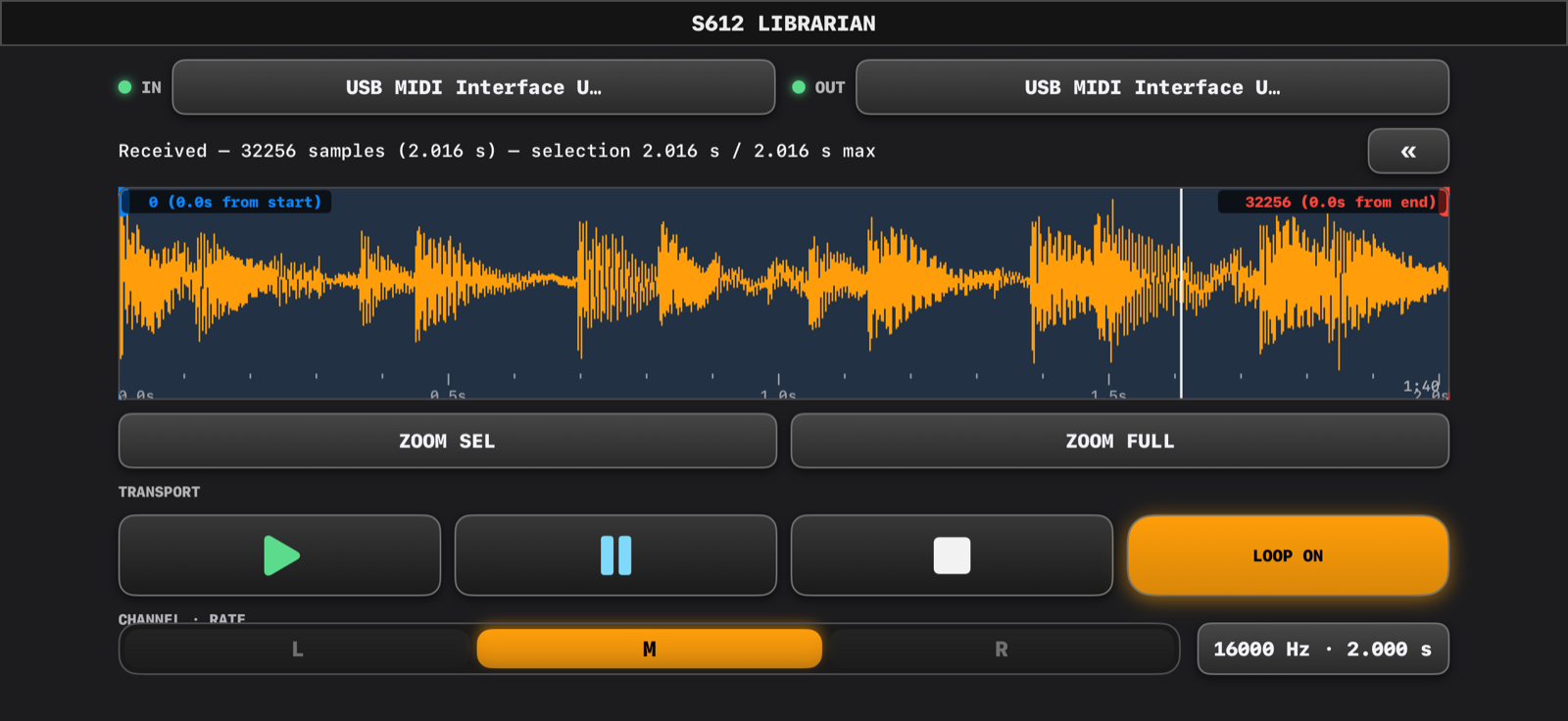
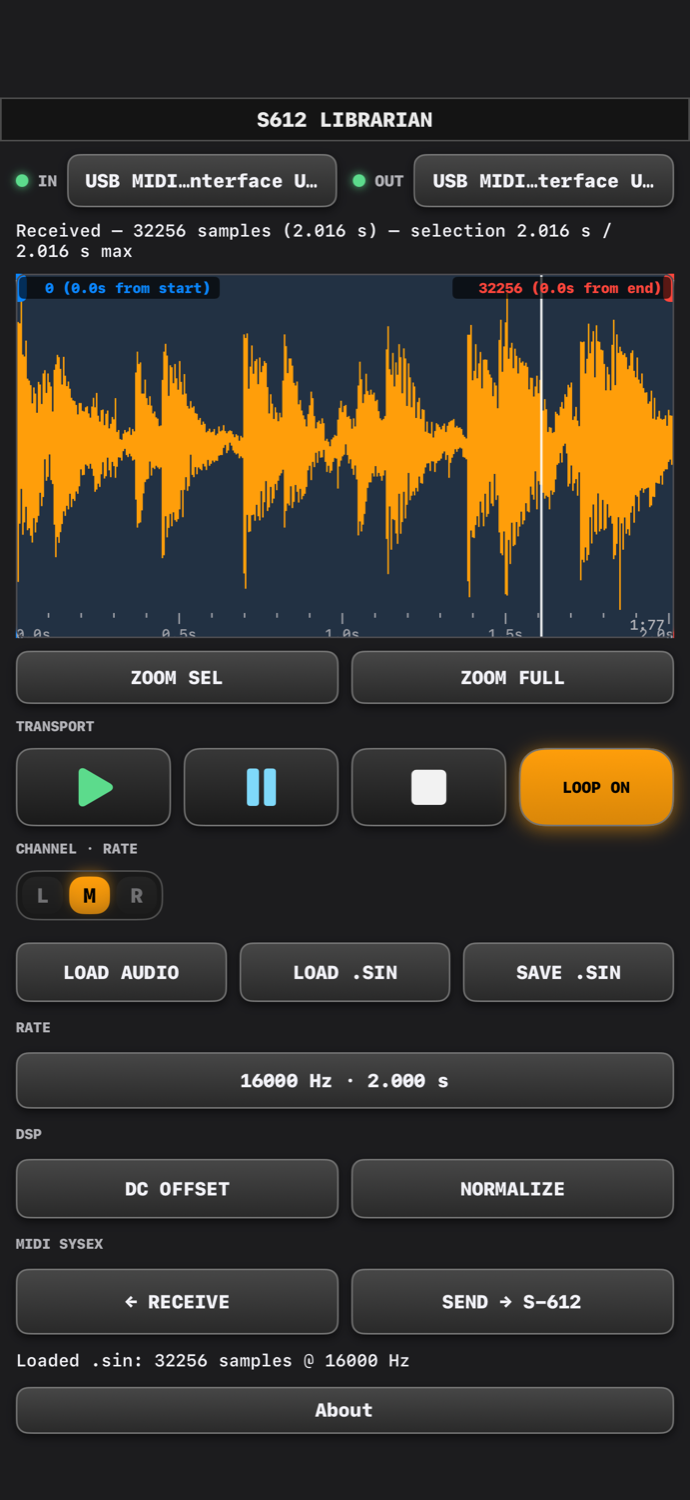
Portrait stacks everything top to bottom; landscape splits the waveform off to the left and the controls down the right side. A chevron next to the loaded filename collapses the right column so the waveform takes the full panel width when you're working in close.

S612 Librarian in portrait — full panel with waveform centre, controls top and bottom
Portrait — single-column layout
S612 Librarian in landscape — waveform left, controls right
Landscape — two-column split + expand chevron
S612 Librarian about screen with rotating SceneKit cube
About — 3D logo, version, credits

Built around the parts of the workflow that actually take time.

Send and receive are the two operations the hardware exposes. Everything else in the app exists to get your sample ready for the SysEx upload as efficiently as possible.

Transfer

Bidirectional bank send and receive

WSB upload with ACK handshake on the way out, 128-block dump on the way back. Follows the documented Akai S-612 SysEx protocol — 12-bit offset-binary samples encoded as two 7-bit MIDI bytes per sample.

MIDI

USB-MIDI hot-plug with device memory

Plug a class-compliant USB-MIDI interface in and it shows up immediately. The app remembers the last IN and OUT endpoints you bound and rebinds them automatically on launch and whenever a device reconnects.

Audio in

Read anything iOS can read

Files app, iCloud Drive, Dropbox, Google Drive, OneDrive, Box, Music library DRM-free songs, Voice Memos. Drag a file onto the picker to import. The app keeps a list of recently used sources for one-tap reload.

Rate

All 37 valid S-612 sample rates

The S-612 accepts a recording rate via a MIDI note from C2 to C5 (4 000–32 000 Hz). The dropdown lists every semitone position with its rate and recording-window duration; the app sends the corresponding Note On / Off before each upload so the hardware latches the right rate.

Channel

L / M / R channel pick for stereo sources

Stereo files default to the LEFT channel — the safest pick because sum-to-mono can null phase-inverted material. Tap M for sum mix or R for the right channel; mono files lock the pill to mono and grey the rest.

Editor

Pinch-zoom waveform with time ruler

Drag the start and end markers to set the upload window. Tap to drop a new start (optionally snapped to the nearest zero crossing). Two-tier major/minor tick ruler under the wave, with seconds labels that auto-tier from full-window minutes down to 10 ms precision when you zoom in.

Audition

Real-time preview through the 12-bit roundtrip

Tap Play and the selection loops through AVAudioPlayer with the S-612's 12-bit offset-binary quantisation applied — what you hear is what the rack will store. Audition retriggers automatically when you change the selection, the rate, the channel, or apply DSP.

DSP

DC offset removal and peak normalise

Two transparent in-place operations on the current selection. Removes a DC bias before quantisation so the 12-bit dynamic range isn't eaten by mean offset; normalises the peak to full-scale int16 so the rack's input headroom is used.

Files

.sin save / load with the system file browser

Save invokes the system file browser so the file lands where you actually want it — Files, iCloud Drive, Dropbox, any provider that registered an extension. Banks are stored as .sin single-sound files for reload later.

Display

Live transfer visualisation

Send zooms to the selection and tints sent samples light blue as the SysEx clocks out, with a bright leading-edge line that sweeps across the region. Receive clears the buffer, fits the waveform to full width, and fills orange left-to-right as blocks arrive.

Layout

Portrait or landscape, with a hide-controls chevron

Portrait stacks the controls vertically. Landscape splits the waveform off to the left with controls down the right. The » button beside the filename collapses the right column so the waveform spans the full panel width; the sample rate dropdown slides down to live next to the channel pill.

Quality

Anti-phase aware mono mix

The L+R sum-to-mono path is documented and explicit, so when you load a pseudo-stereo master that nulls under summation, you can switch to L or R and keep going instead of wondering where the centre went.
The path from file to rack.

Six taps from launch to a sample sitting in the S-612's RAM.

Bind MIDI

Tap the IN and OUT dropdowns at the top, pick your USB-MIDI interface from each list. Both LED dots go green. The app remembers your picks for next launch.

Pick a source

LOAD AUDIO opens a four-section browser: recents, on-device Documents, your Music library, and a Browse fallback to the system file picker.

Pick a rate

Tap the rate dropdown, pick from the 37 valid positions. Anchors (C2 / C3 / C4 / C5) are flagged. The source re-resamples non-destructively from the original.

Trim the window

Drag the start and end markers on the waveform to frame what you want to send. Pinch to zoom, tap ZOOM SEL to fill the view with the selection.

Audition

Tap Play. The selection loops through the 12-bit quantiser so the audition matches what the hardware will store. Adjust the markers; the audition retriggers automatically.

Send

Put the S-612 in receive mode. Tap SEND. The waveform zooms to the selection and tints blue as bytes clock out; when the bar reaches the right edge, the sample is in the rack.

The bits underneath that matter.

A few engineering choices that make the difference between an app that nominally talks to the hardware and one that actually does the job.

Documented Akai SysEx protocol

The upload and dump byte sequences follow the documented Akai S-612 SysEx protocol — WSB write request with 0x4D ACK handshake on the way out, format request plus 128-block dump on the way back, 12-bit offset-binary samples encoded as two 7-bit MIDI bytes.

Non-destructive ingest, destructive DSP on selection

The decoded float source at the file's native rate stays untouched until you load a new file. Rate, channel, and selection changes re-derive the int16 send buffer from the float source — no fidelity loss when you sweep between rates. DC offset and normalize, on the other hand, mutate the int16 selection in place; a rate or channel change is the escape hatch back to clean.

USB-MIDI topology change handling

CoreMIDI fires a topology notification on every device insert / remove. The app re-enumerates immediately, drops any active handle whose endpoint disappeared, and rebinds remembered devices by display name when they come back — so unplugging the interface mid-session and replugging it doesn't strand you with a stale device list.

Time-ruler-tiered waveform display

The major / minor tick spacing under the waveform auto-tiers from 15-second / 5-second majors at full-zoom-out down to 100 ms / 10 ms majors when you're inside a single transient. Seconds labels reposition so they stay readable at every zoom level.

120 Hz transfer animation

A CADisplayLink at the full ProMotion frame rate eases the in-flight transfer overlay between the values the SysEx engine reports, so the bar sweeps smoothly across the waveform regardless of how chunky the underlying per-block callback is.

Specifications

Platform
iOS 16.0 and later · iPhone and iPad · arm64
Hardware target
Akai S-612 sampler (1985, 12-bit, 32,256-sample RAM, MIDI in)
Connection
Class-compliant USB-MIDI host via Apple Camera Connection Kit / Lightning-to-USB-A / USB-C-to-USB-A adapter
SysEx engine
Documented Akai S-612 protocol — WSB upload + 128-block dump, 12-bit offset-binary codec, 0x4D ACK handshake
Audio input
WAV, AIFF, MP3, M4A, CAF, FLAC, and anything else AVAudioFile reads; Apple Music library DRM-free songs; Voice Memos via Files
Sample rates
All 37 S-612 positions (C2–C5, 4 000–32 000 Hz)
Editor
Pinch-zoom waveform, draggable start/end markers, zero-crossing snap, ZOOM SEL / ZOOM FULL, two-tier time ruler with seconds labels
Transport
Play / Pause / Stop / Loop toggle. Audition through AVAudioPlayer with the S-612's 12-bit quantisation applied to the slice; auto-retrigger on every selection / rate / channel / DSP change
DSP
DC offset removal and peak normalize, destructive in place on the current selection only
File format
.sin single sound (magic S612SIN\0, version 1, 12-bit quantised int16 PCM)
Save destination
System UIDocumentPickerViewController in export mode — Files, iCloud Drive, Dropbox, any file-provider extension
Display
Full ProMotion (120 Hz) on supported iPhones for the transfer animation; 60 Hz everywhere else
Privacy
No network requests, no analytics, no telemetry. See the Privacy Policy